LinkedIn · 1 min read
How to read a competitor's changelog: patterns, not features
A competitor's changelog is a public record of what their customers asked for. Four patterns that show where a competitor is going and where they're weak.
First published on LinkedIn on .
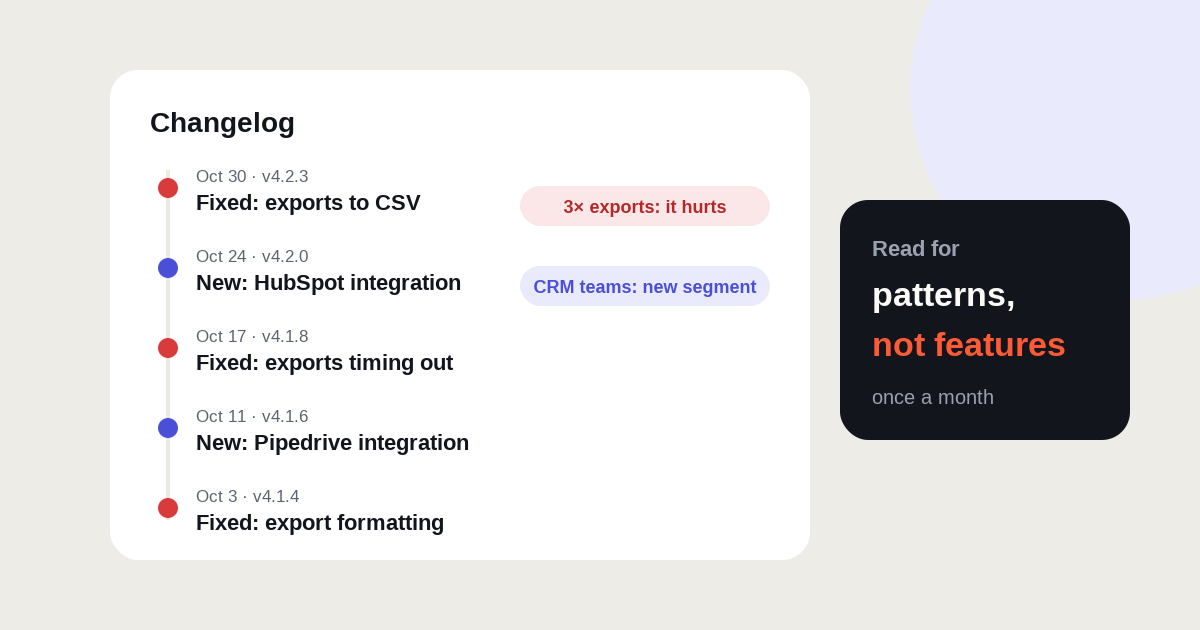
Read a competitor's changelog for patterns, not individual features: it's a public record of what their customers asked for.
Which changelog patterns matter?
- The same area fixed three times in a month: it's hurting them, and their users notice.
- A run of new integrations: they're chasing a segment that lives in those tools.
- "Improved performance" again and again: speed is costing them deals.
- A long silence: either a big release is coming or the team has moved on to something else.
How often should you read a competitor's changelog?
Most people open a competitor's changelog when a prospect mentions a feature. Reading it once a month tells you where they're going and where they're weak.
Frequently asked questions
What does a long silence in a competitor's changelog mean?
Either a big release is coming or the team has moved on to something else.
How often should you read a competitor's changelog?
Once a month, not only when a prospect mentions a feature.
New notes like this go out on LinkedIn first. Follow Rivalscope on LinkedIn.